Choosing a good PHP frameworks can help you develop complex Rich Internet Applications quickly, with a best practices oriented approach, and saving a lot of time reusing code snippets that are already available. There are a lot of interesting PHP frameworks you can choose for your next web project. Today we will focus on one of my favorite PHP Frameworks: CodeIgniter.
CodeIgniter is a powerful, high-performance, open-source PHP framework that helps you author PHP applications rapidly. CodeIgniter is known for having a light footprint, there by reducing your server’s work.
CodeIgniter has an exciting online manual, a couple of helpful video tutorials and an active user forum.
In today’s post will attempt to show you the basics of setting up the CodeIgniter framework, including step by step tutorials showing you how to build awesome applications that uses the MVC approach the easy way.

1. Why CodeIgniter?
The simplicity of setting things up and getting an actual webpage that processes something online is quite easy. CodeIgniter uses the MVC or Model View Controller architectural pattern. MVC is a software approach that separates application logic from presentation. In practice, it permits your web pages to contain minimal scripting since the presentation is separate from the PHP scripting.
CodeIgniter has probably the best definition of each the model, view, and controller.
- - The Model represents your data structures. Typically your model classes will contain functions that help you retrieve, insert, and update information in your your database.
- - The View is the information that is being presented to a user.
- - The Controller serves as an intermediary between the Model, the View, and any other resources needed to process the HTTP request and generate a web page. The controller is the top level file for each page that allows you to include database requests in the form of ‘Models’ and templates as ‘Views’.
By using this practice your code is tidy and re-usable.
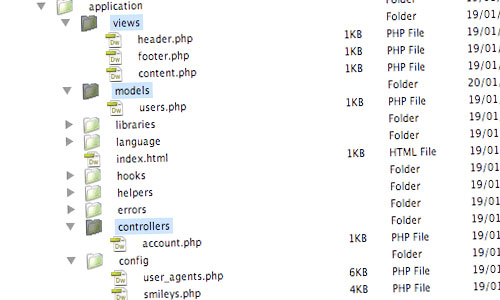
Source: Get started with CodeIgniter
2. Installing and Configuring CodeIgniter
First you need to download CodeIgniter from http://www.codeigniter.com/.
- 1. Unzip the package.
- 2. Rename the “CodeIgniter” folder to your application name “app”. Upload the CodeIgniter folders and files to your PHP and MySQL enabled server. Normally the index.php file will be at your root.
- 3. Open the application/config/config.php file with a text editor and set your base URL.
$config['base_url'] = "http://localhost/app/";
- 4. If you intend to use a database, open the application/config/database.php file with a text editor and set your database settings.
$db['default']['hostname'] = "localhost";
$db['default']['username'] = "root";
$db['default']['password'] = "root";
$db['default']['database'] = "helloworld";
$db['default']['dbdriver'] = "mysql";
This code connects to a MySQL database called “helloworld” on a localhost with the username “root”, and the password, “root”.
Please visit this tutorial to show you the basics of setting up the framework, including how to build a basic hello world application that uses the MVC approach.
Source: Everything You Need to Get Started With CodeIgniter
3. Building Your First CodeIgniter Application
Creating web applications with CodeIgniter (CI) is quick and easy because CI handles a lot of the typical application requirements right out of the box (like session management, database abstraction and file uploading). And while CodeIgniter does handle the repetitive stuff it’s still up to you to create a scalable and easy to update application.
You will need to check the following Step By Step Tutorial to learn how to create your first CI application:
- Building Applications using CodeIgniter Series: File Structure, Configuration, Helpers, Code Templates.
- Creating First Application at CodeIgniter
- Building a Database-Driven Application with the Code Igniter PHP Framework
- Easy Development With CodeIgniter
4. How to Create Awesome Applications Built with CodeIgniter
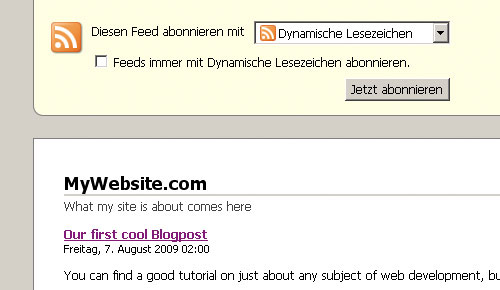
4.1 Build an RSS 2.0 Feed with CodeIgniter
In this tutorial, we will learn how to build a RSS 2.0 Feed with the PHP framework CodeIgniter.
4.2 Generating PDF files using CodeIgniter
In this tutorial, we will learn how to generate PDF files with CodeIgniter and the R&OS library..
4.3 Building a Shopping Cart using CodeIgniter’s Shopping Cart Class
This tutorial will cover the new “Shopping Cart” Class. The Cart Class permits items to be added to a session that stays active while a user is browsing your site. These items can be retrieved and displayed in a standard “shopping cart” format, allowing the user to update the quantity or remove items from the cart.

4.4 CodeIgniter Clan Site- Part1 & Part2
In this series of tutorials we’ll be learning how to create a multi-gaming clan website with support for many different games, forums and a full admin system.
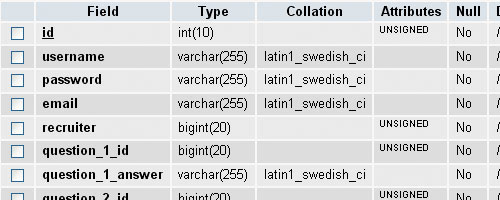
4.5 Validating Web Forms with the Code Igniter
How to use the validation class included with this framework to develop a PHP program that can be used to check data submitted through some web forms.
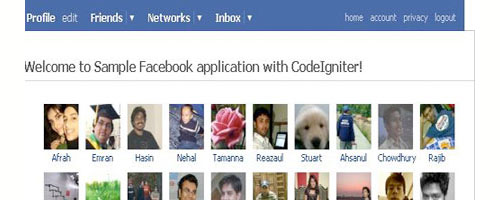
4.6 A sample Facebook application with CodeIgniter
4.7 CodeIgniter and Ajax Using JQuery Tutorial
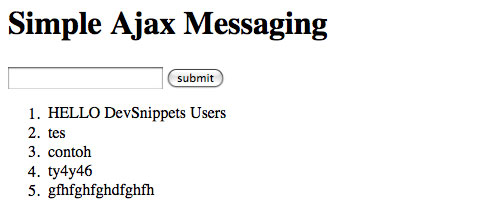
This tutorial is about creating simple CodeIgniter + database + ajax system. User will be shown a form to post a message. Then after he/she press the submit button, the system will save the message using ajax and then show the message.
4.8 Real Live Search with Pagination
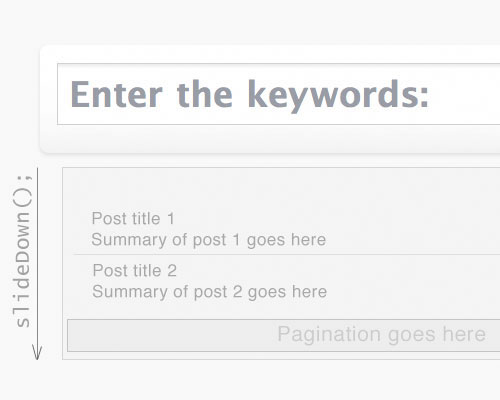
In this tutorial, we will learn how to create a search page with CodeIgniter and jQuery. We’re not gonna create only a default search page using CodeIgniter framework, but also a real time search with jQuery’s support.
4.9 How to Update your Twitter Status with CodeIgniter
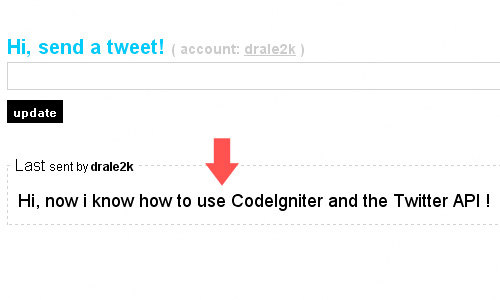
This article demonstrates how to update our twitter status via the ‘Twitter API’ using CodeIgniter.
4.10 Codeigniter Event Calendar
This post demonstrates how to create Codeigniter Event Calendar. When you click the date where there are events, it will take you to a page showing all the event for that day. So you can use it with javascript disabled.

4.11 Live search with CodeIgniter and Mootools
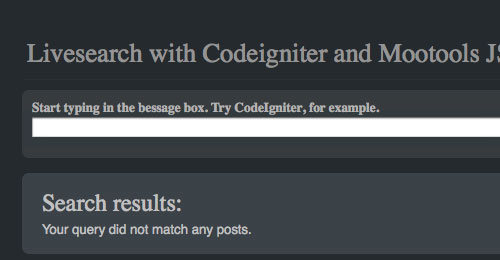
This article demonstrates how to create a live search application (an AJAX based application that returns search results as you type) with CodeIgniter and Mootools JSON. The application is build using JavaScript in non obtrusive ways, so it will function in just about any browser, even if they don’t support JavaScript at all.
4.12 Creating a File Hosting Site with CodeIgniter
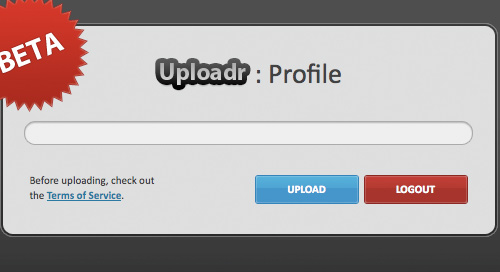
This tutorial will show you how to build a powerful web application for hosting images, using the flexibility of Codeigniter. This tutorial should teach you about the MVC coding philosophy, integral to producing serviceable applications.
5. Further Resources
- - 10 Reasons Why CodeIgniter Rocks
- - Optimizing and Scaling your CodeIgniter Application – with Benchmarks!
- - 9 Ways to Integrate Ajax with CodeIgniter
- - Debugging a CodeIgniter application with FirePHP
- - 40+ CodeIgniter Framework Tutorials for PHP Application
abcphp.com
Feb 23, 2025 @ 07:47:23
Getting Started with CodeIgniter and How to Create All Those Great Apps | DevSnippets…
Choosing a good PHP frameworks can help you develop complex Rich Internet Applications quickly, with a best practices oriented approach, and saving a lot of time reusing code snippets that are already available. There are a lot of interesting PHP frame…
Aug 09, 2025 @ 17:31:29
This codeignitor tut is exactly what I needed!
Feb 23, 2025 @ 11:10:26
I just started learning this amazing framework since 2 weeks and this article is what i was looking for .. Thanks .. Great post
Getting Started with CodeIgniter and How to Create All Those Great Apps « Freelance Web Designer from Hyderabad, India.
Feb 23, 2025 @ 12:35:25
[...] Visit Source. [...]
Feb 23, 2025 @ 17:18:17
Unfortunately, CI is written in PHP4 so using it it’s a kind of step back. Anyway, this framework is one of the best frameworks ever released. I’m currently using KohanaPHP, CI based framework, many disadvantages for now but hope it would be as good as CI is
Feb 28, 2025 @ 09:15:00
Actually CodeIgniter is written in PHP5, however it contains backwards compatibility for PHP4. The difference between CodeIgniter and KohanaPHP is that Kohana drops all PHP4 supports and makes use of PHP5 features such as chaining, class autoload, constructors and destructors etc
Mar 07, 2025 @ 17:32:29
For the last time I worked with CI in 2008 and over 90% of the system is written in PHP4. What about current release? To be honest, I don’t know. Thanks for the reply. Will give CI another try. One more thing… Dropping all PHP4 support is a GOOD thing in development. Cheers!
Feb 24, 2025 @ 03:49:19
awesome article, CI is good, even you can try your hands on Kohana (it is based on CI, too)
php-html.net
Feb 24, 2025 @ 16:11:10
Getting Started with CodeIgniter and How to Create All Those Great Apps…
CodeIgniter is a powerful, high-performance, open-source PHP framework that helps you author PHP applications rapidly. CodeIgniter is known for having a light footprint, there by reducing your server’s work….
Feb 25, 2025 @ 02:52:08
amazing post you write for framework lovers, i thinks this is just beginning for learn about that.
DevSnippets.com: Getting Started with CodeIgniter and How to Create All Those Great Apps | Webs Developer
Feb 26, 2025 @ 12:02:23
[...] DevSnippets.com there’s a new post looking at the CodeIgniter framework and some examples to get your started on using it. Choosing a good PHP frameworks can help you develop complex Rich Internet [...]
Mar 04, 2025 @ 08:38:28
wow awesome list of tuts
Getting Started with CodeIgniter and How to Create All Those Great Apps | Fixzero
Mar 17, 2025 @ 09:20:38
[...] more here: Getting Started with CodeIgniter and How to Create All Those Great Apps Share PHP, Tutorials article, code, codeigniter, controller, how to, php Free XHTML [...]
7 Secure, Lightweight, and Easy to Use PHP Frameworks | DevSnippets
Mar 29, 2025 @ 06:04:41
[...] Getting Started with CodeIgniter and How to Create All Those Great Apps- In this post, you’ll be introduced to its main features, know the basics of setting up the [...]
7 Secure, Lightweight, and Easy to Use PHP Frameworks « qeqnes | Designing. jQuery, Ajax, PHP, MySQL and Templates
Mar 31, 2025 @ 01:34:01
[...] Getting Started with CodeIgniter and How to Create All Those Great Apps- In this post, you’ll be introduced to its main features, know the basics of setting up the [...]
tutorialhou.se
Apr 05, 2025 @ 03:23:43
Getting Started with CodeIgniter and How to Create All Those Great Apps…
Choosing a good PHP frameworks can help you develop complex Rich Internet Applications quickly, with a best practices oriented approach, and saving a lot of…
CodeIgniter - Open source PHP web application framework | GuiDesigner
Apr 06, 2025 @ 03:19:42
[...] Getting Started with CodeIgniter and How to Create All Those Great Apps- In this post, you’ll be introduced to its main features, know the basics of setting up the [...]
Apr 10, 2025 @ 00:01:26
Nice, sounds great!
Apr 11, 2025 @ 21:12:26
Very nice stuff to implementing in codeigniter, for my next application i want to implement all those posts.
Thank you.
Jan 31, 2025 @ 07:08:46
I love CodeIgnitor.
CodeIgniter Ajax form - submitting form | Jisku.com - Developers Network
Sep 10, 2024 @ 06:57:12
[...] of them on the same page as the form. If I confused you it’s the 4.7 application example from here. The initial source code lies here but I have modified it in order to work with the latest release [...]