Even though CSS3 is still in the development stages, it is the new craze that many web developers are excited about. CSS3 is something that will take web development into newer and greater heights, while modernizing the web and allowing web designers and developers to make their creativity a reality.
Image Effects

Rotated Background with Slide Up Menu
Let\’s think of a box with rotating images inside. along with the images, we have a navigation menu that slides up / down while the images rotate. Pretty cool huh? well lets show you how I made this happen.
Awesome Overlays - CSS3 border-image property
Demoing a practical application of the CSS3 border-image property.
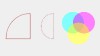

Border-Radius - Circles and Curvy Shapes with CSS3
Border-Radius - Circles and Curvy Shapes with CSS3 - It is important to remember that some properties will allow you to achieve effects that aren\’t necessarily stated. It also has the potential to produce some terrific designs using just CSS – no images. border-radius-css3-examples.jpg (5 KB)
Superb Jquery CSS Image Effects and Tooltips Tutorials
Superb Jquery CSS Image Effects and Tooltips Tutorials
Style your Web Design Using CSS3
We are absolutely at an intriguing issue in time with the web. There are stimulating new characteristics in the pipeline for Cascading Style Sheets that will permit for a blast of creativity in web design. These characteristics encompass CSS fashioning directions that are being issued with the imminent CSS3 specification.
Drop Shadow in Images : No extra markup
Drop Shadows adds extra glare to any design. They can be easily accomplished in any graphic editor, however its a little tricky in web programming. In this post I\’ll walk you through various ways in which you can add shadows to images without any extra markup used.
CSS-Only Images Tutorials ( renewable )
This round up of tutorials focuses on using images with css in different ways to achieve awesome decoration of your website .
Create letterpressed type using only CSS
Letterpress effect is one of the 2009 trends and is present in a lot of websites. Let’s see a quick way to add this effect to our sites using only CSS.
Best of Mootool-Plugins - Part 2
This second part of “Best of Mootools-Plugins and Tutorials” includes a list of 10 Mootools-Plugins for slide-effects, image-galleries, tooltips, form-validdation and many more…
CSS image effect ;) you can use it in your gallery;)
This is a purely CSS based image gallery that displays larger versions of thumbnail images dynamically when the mouse hovers over them. A rich HTML caption can be added to the enlarged image, and every aspect of the Image Gallery exists as plain HTML on the page. The idea is to use CSS’s “:hover” pseudo […]
Unobtrusive CSS Loading Indicator for Images
A few developers are actually aware that the image tag supports background images (as well as practically any other CSS property). Here is a quick and unobtrusive technique for creating loading indicator for images without using JavaScript, that relies on the above feature.