Whichever type of Mac user you are, today’s post will certainly help you in completing your day-to-day tasks, develop & code projects and make your Mac as fast and clean as possible. For this post we tried to get you the best selection of New Mac Apps that will help you be a more efficient designer. Though, not many applications mentioned here are free, you do receive a good range of features for your money. You should note that the apps listed here are lightweight and are not memory hogs.
Desktop Utilities
1. SecretBox
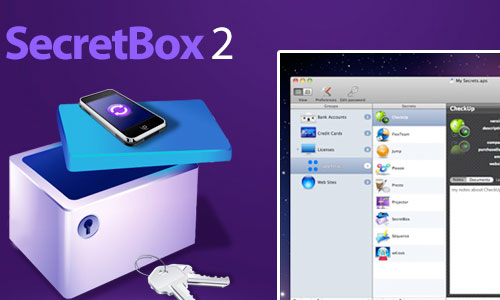
Store all sorts of information: Credit Card details, SSN numbers, Software Licenses, e-mail account details, product registration codes and serial numbers. All are easily stored in SecretBox’s flexible database.
Most people will use SecretBox for personal use, but businesses can also use SecretBox for managing their customers passwords or for managing software licenses.
2. Unarchiver
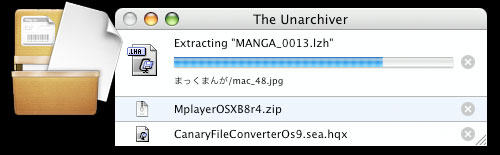
Fast and simple multi-format unarchiver for Zip, Tar-gzip, Rar, 7-Zip, StuffIt, Tar-bzip2, LhA, and many more.
3. WiFi Stumbler
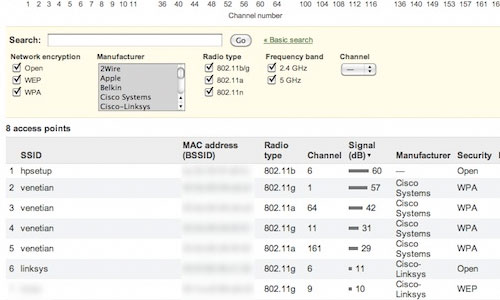
A 802.11 wireless scanner and connection manager. This will detect access points and clients in ad-hoc mode if the SSID is being broadcasted. It can be used for wireless site surveys, wireless discovery, and to connect to wifi networks. The tool reports signal strength in dBm and shows access point BSSID/MAC addresses.
4. IceClean
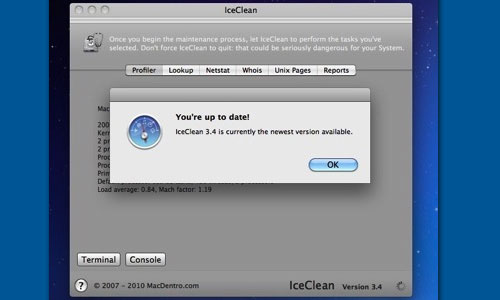
IceClean is a powerful System Maintenance and Optimization Tool using only UNIX built-in System Tasks to help your Mac stay healty and to keep it running smoothly.
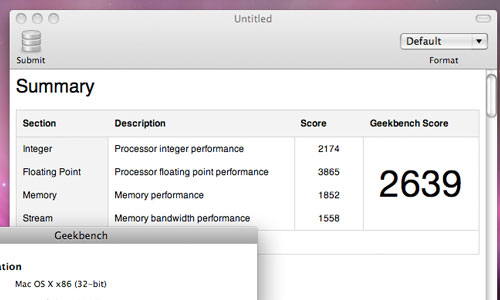
5. GeekBench
A cross-platform benchmark that measures processor and memory performance. Designed from the ground up to take advantage of the latest technology like vector instructions, multi-core processors, and 64-bit instructions, Geekbench provides a quick and simple way to measure your Mac’s performance.
Productivity Tools
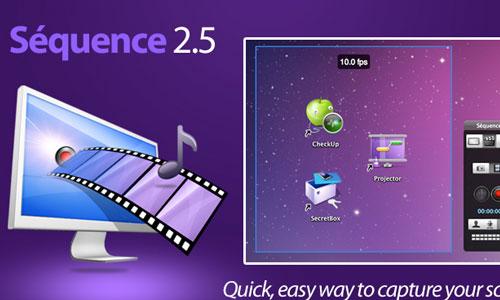
6. Séquence
Séquence is a simple way to capture and save an image or a movie of your screen to your computer’s clipboard, or a file (in an image format of your choice). A video or screenshot can be emailed, uploaded on the web, or passed around however you want. Séquence supports saving screenshots as bmp, pict, gif, jpg, png, tiff, pdf.
7. ClipMenu
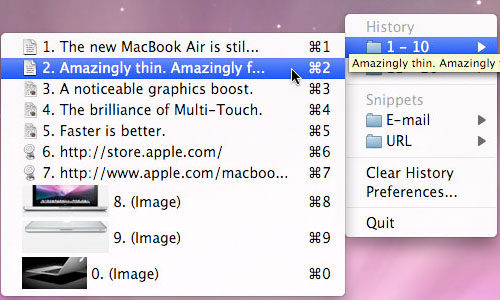
ClipMenu can manage clipboard history. You can record 8 clipboard types, from plain text to image. To paste a recorded item, you just pop up menu by invoking the shortcut key, and select a menu item from the menu.
8. SimpleTask
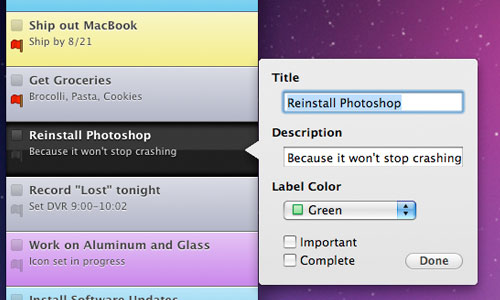
SimpleTask grew out of frustration with other to-do list applications. They all had too many fields to fill in, too many different views and ways to organize things.
SimpleTask has two lists: Pending and Complete. All controls are intuitive and nearby so adding a task is a snap. Adding tasks can be done entirely from the keyboard making adding multiple tasks take seconds instead of minutes. Best of all, SimpleTask syncs with its iPhone client for an on the go to-do list that never gets outdated.
9. Hit List
The Hit List is a simple, yet sophisticated application to manage the daily chaos of your modern life. Based on the simple concept of making lists, The Hit List lets you plan, forget, then act when the time is right.
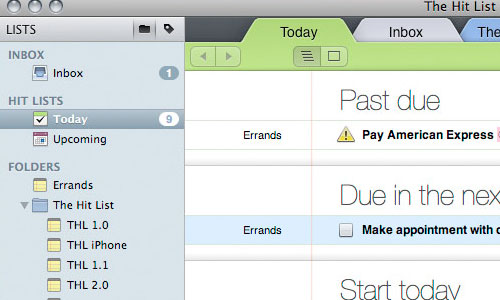
Price: $49.95
10. Time Out
It is very easy to fall into bad habits when using a computer for hours on end. The human body isn’t built to sit in one position for endless hours, gripping a mouse or typing on the keyboard. Dejal Time Out will gently remind you to take a break on a regular basis. Time Out has two kinds of breaks: a “Normal” break, typically for 10 minutes after 50 minutes of work, so you can move about and relax, plus a “Micro” break: a very brief pause of typically 10 seconds every 10 minutes.
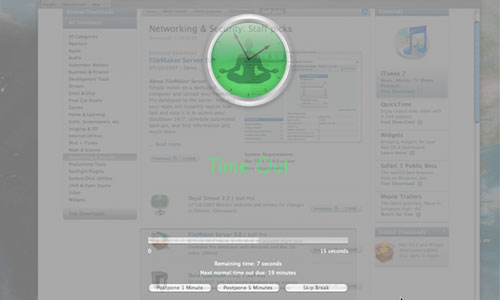
Price: Free
11. TextExpander
Save time and effort with TextExpander! Whether it’s a simple email signature or several paragraphs of a standard response, you’ll love how easy it is to use TextExpander to avoid typing the same thing over and over.
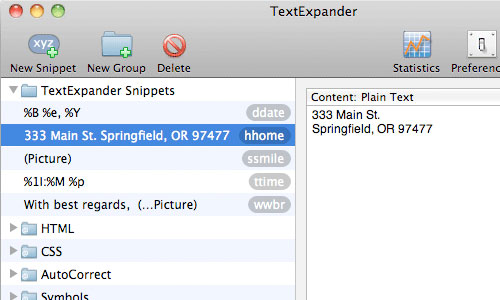
Price: $34.95
Graphic Design
12. ColorSchemer
ColorSchemer Studio 2 is a professional color-matching application for your Mac that will help you build beautiful color schemes quickly and easily.
Use ColorSchemer Studio to identify color harmonies for the web (RGB) or print (CMYK), create palettes from photos, search over a million existing color schemes, mix colors, create gradient blends, and much more!
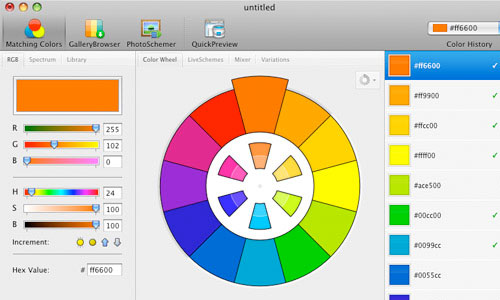
Price: $49.99
13. Acorn
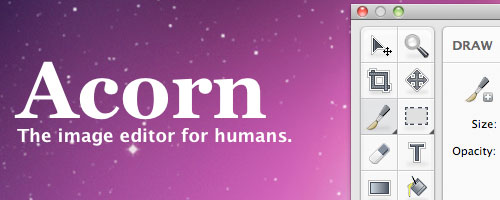
Acorn is an image editor built for the Mac with simplicity in mind. Add text and shapes to your digital pictures. Combine images together to create your own. Work with layers to touch up your favorites or make something new from scratch. Do all this and more with Acorn.
Price: $49.95
Acron Free Price: Free
14. Prizmo
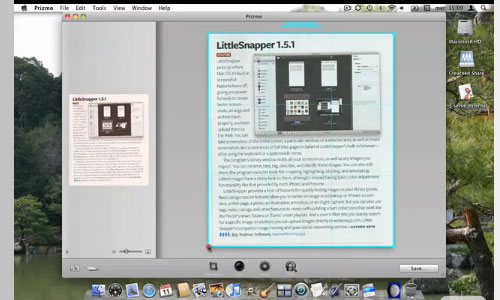
An application for scanning documents with your digital camera with support of optical character recognition (OCR). Prizmo uses the state-of-the-art, highly accurate OCR Engine from ExperExchange, Inc. for optimal results under various conditions.
Price: $39.95
15. Lineform
Lineform is the clear modern Mac alternative to Illustrator, FreeHand, and other more costly vector drawing apps. Useful features combine with a simple interface to create a wonderfully intuitive artistic process. Lineform has all of the most popular tools, including everything from freeform gradients to compositing effects, enabling you to create the designs you want without getting in your way with superfluous “features” you might not need.
Price: $99.95
Web Development
You already know Coda, Espresso, CSSEdit, Rapidweaver, Transmit, Textmate and Cyberduck. Below we will cover less known and new Mac apps that worth trying.
16. Flow
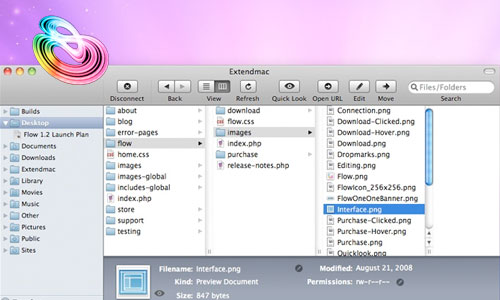
Flow brings the best of the Mac to your server’s files and folders. Because Flow can connect to FTP, SFTP, Amazon S3, WebDAV, and MobileMe iDisk servers, you can rest assured that whether you need to connect to your web-host, your iPhone, or another Mac across your network, Flow can do it with ease.
Price: $25
17. Snippet
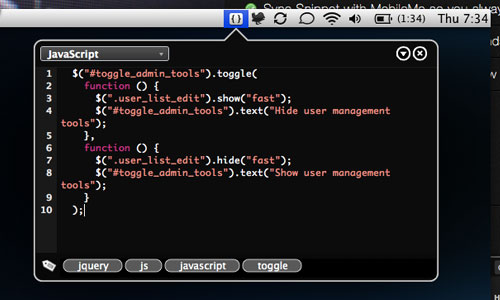
Snippet allows you to easily create Snippets from selected text anywhere, sync Snippet with MobileMe so you always have your snippets and search your snippets instantly with a few keystrokes.
Price: $12.95
18. Slammer
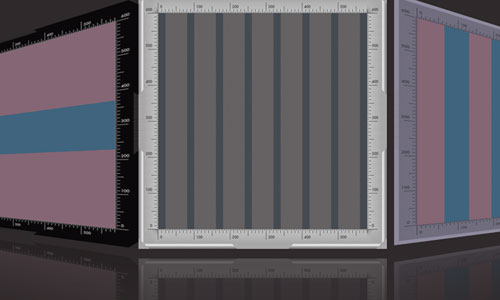
Slammer overlays any grid you want, anywhere you want. Typographic Grids, Golden Sections, Fibonacci series or Rule of Thirds. Slammer also has Rulers, Crosshairs, Magnifier, Measurements & Screenshots.
Price: $20.00
19. Flux
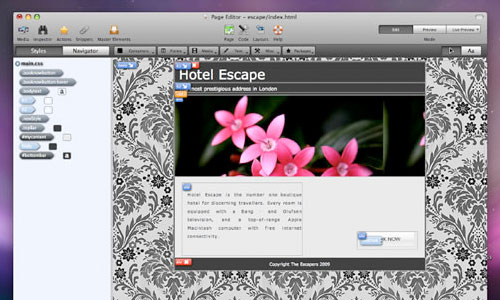
Flux is an advanced Web design application, capable of creating stunning sites from scratch. Flux isn’t a template based solution, it’s a creative design environment. Flux has an amazing WYSIWYG rendering engine. The Flux Code Editor has syntax highlighting for HTML and CSS, auto-completion and line numbering.
Price: £49.99
20. Pomodoro
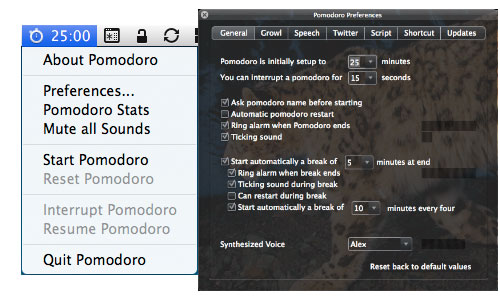
A desktop application for Time Management on your Mac OSX. It is a simple but effective way to manage your (coding) time, and it’s based on the Pomodoro technique.
Price: Free
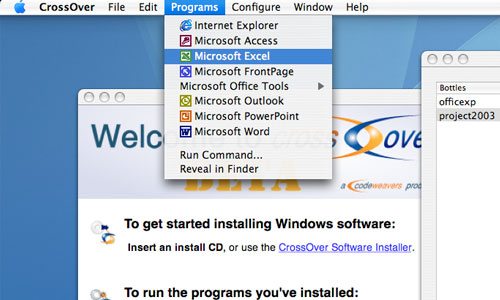
21. CrossOver
Allows you to install many popular Windows applications and games on your Intel OS X Mac. CrossOver includes an easy to use, single click interface, which makes installing Windows software simple and fast.
Price: $39.95
designfloat.com
Mar 22, 2025 @ 06:06:46
20 New & Extremely Useful Mac Apps For Web Designers | DevSnippets…
Whichever type of Mac user you are, today’s post will certainly help you in completing your day-to-day tasks, develop & code projects and make your Mac as fast and clean as possible. For this post we tried to get you the best selection of New Mac Apps …
20 New & Extremely Useful Mac Apps For Web Designers | TopRoundups
Mar 22, 2025 @ 06:10:55
[...] 20 New & Extremely Useful Mac Apps For Web Designers Submitted by Nirhana [...]
Mar 22, 2025 @ 06:37:14
Wow. Thanks for the collection! These are really great! I should start getting these for my MAc. Thanks a lot!
photo sharing
Mar 22, 2025 @ 07:00:59
Really great article. I love Coda also (panic.com)
Martin
Mar 22, 2025 @ 08:11:00
Thank you for the fascinating article.
“Pomodoro” seems to have incorrect href.
(“http://pomodoro.ugolandini.com/” would be correct.)
Mar 22, 2025 @ 08:18:27
Great article, my favourite little mac app at the moment is XScope by Iconfactory. So handy for onscreen guides, rulers etc.
I’m still searching for the perfect clipboard manager, so i’ll give ClipMenu a whirl!
20 New & Extremely Useful Mac Apps For Web Designers | Design Shack
Mar 22, 2025 @ 08:19:10
[...] View Post [...]
Luke Joens
Mar 22, 2025 @ 08:24:48
Awesome article. Going to download them on my iMac at work and at home
Mar 22, 2025 @ 08:30:55
Most of the apps weren’t as new as I thought they would be but you just listed a couple pretty good apps new to me.
Mar 22, 2025 @ 09:14:21
Cool work… timeout is what I need, now. thx dude
20 New & Extremely Useful Mac Apps For Web Designers | DevSnippets « Netcrema - creme de la social news via digg + delicious + stumpleupon + reddit
Mar 22, 2025 @ 09:45:39
[...] 20 New & Extremely Useful Mac Apps For Web Designers | DevSnippetsdevsnippets.com [...]
[Miguel Sá] | Blog >> 20 New & Extremely Useful Mac Apps For Web Designers
Mar 22, 2025 @ 14:08:38
[...] Leia o post original/Visit Source Article [...]
_Blink
Mar 22, 2025 @ 14:53:39
Similar to TextExpander in what you say it can be used for, a little app specifically designed for little notes is Notational Velocity. Free, with a beautiful interface and extremely easy to use. Also, no need to hit Save whenever you make changes..
Daily Diigo Bookmarks from Steve Yuen 03/23/2010 « Learning Technologies
Mar 22, 2025 @ 22:32:51
[...] 20 New & Extremely Useful Mac Apps For Web Designers | DevSnippets [...]
Mar 23, 2025 @ 04:09:50
Thanks for the list, but most of them are not web related…
Mar 23, 2025 @ 04:51:17
Well that’s a good list!
Simple Task and The Hit List look good to, I always believed Things was the best app, might change my mind now
20 New & Extremely Useful Mac Apps For Web Designers « Square One Web Solutions Blog
Mar 23, 2025 @ 05:05:57
[...] Go here to see the original: 20 New & Extremely Useful Mac Apps For Web Designers [...]
CSS Brigit | 20 New & Extremely Useful Mac Apps For Web Designers
Mar 23, 2025 @ 06:55:13
20 New & Extremely Useful Mac Apps For Web Designers…
“This post will certainly help you in completing your day-to-day tasks, develop & code projects and make your Mac as fast and clean as possible.”…
Most Tweeted Articles by Typography Experts: MrTweet
Mar 23, 2025 @ 07:15:11
Your article was most tweeted by Typography experts in the Twitterverse…
Come see other top popular articles surfaced by Typography experts!…
20 New & Extremely Useful Mac Apps For Web Designers | Fixzero
Mar 23, 2025 @ 07:48:48
[...] more here: 20 New & Extremely Useful Mac Apps For Web Designers Share Articles, Design apple store, mac apps, web designers How To Design a 3D Glass [...]
Mar 23, 2025 @ 10:52:41
Very interesting apps here. Thanks a lot for sharing! cheers!
Mar 23, 2025 @ 12:27:40
helping stuff and we really thankful to you specially for “Flow” and “LineForm”
Fame Foundry
Mar 23, 2025 @ 18:25:12
Great compilation!
Mar 25, 2025 @ 01:19:54
Very good list, list of good/best programs.
But “free” always looks a little better
Mar 26, 2025 @ 14:33:15
FYI: the link for Prizmo is wrong.
links for 2025-03-28 « Bloggitation
Mar 28, 2025 @ 23:08:30
[...] 20 New & Extremely Useful Mac Apps For Web Designers (tags: apple mac design web) Categories: Links Comments (0) Trackbacks (0) Leave a comment Trackback [...]
Guido
May 06, 2025 @ 13:10:31
Very usefull list!
silver proof sets
Apr 30, 2025 @ 02:14:57
Much Thanks!…
Thanks for taking the time to provide us all with the info!…
Pci Card
May 15, 2025 @ 14:16:28
read more…
[...]just below, are some totally unrelated sites to ours, however, they are definitely worth checking out[...]…